Track what you eat, what you lift, and everything your watch records.
Marrow is a free calorie counter and fitness tracker for iPhone. It keeps 178 health metrics in one place, on your phone, with no account. When you want advice, connect it to ChatGPT, Claude or Gemini.
Download on theApp StoreFree. iPhone, iOS 17 or later.
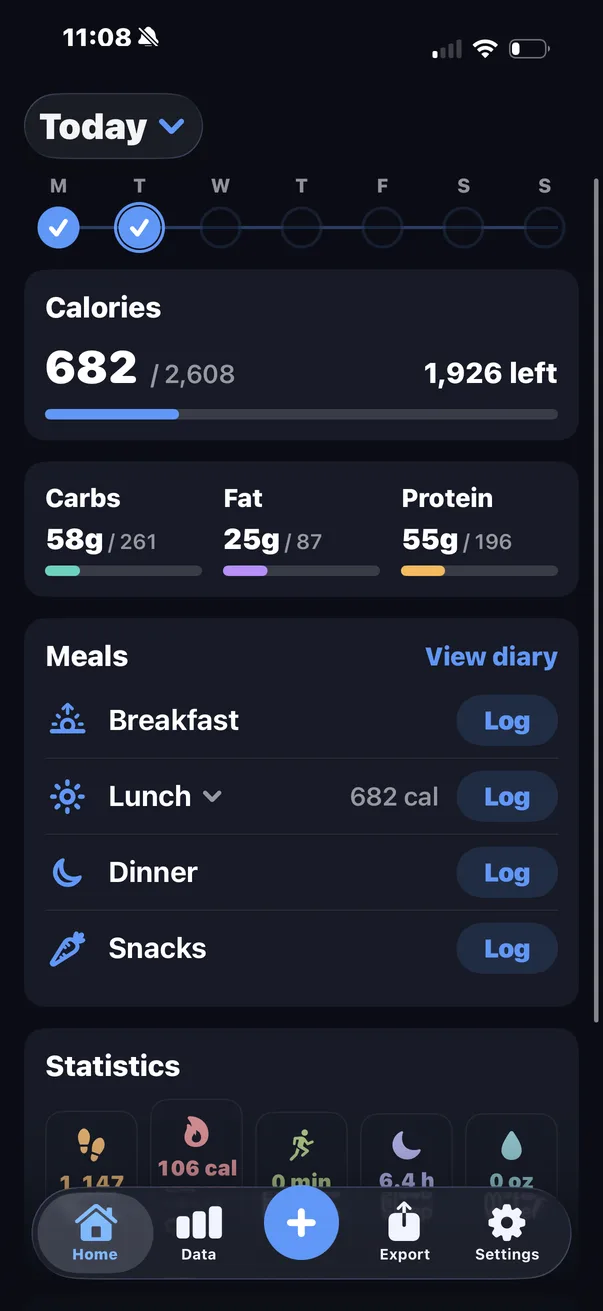
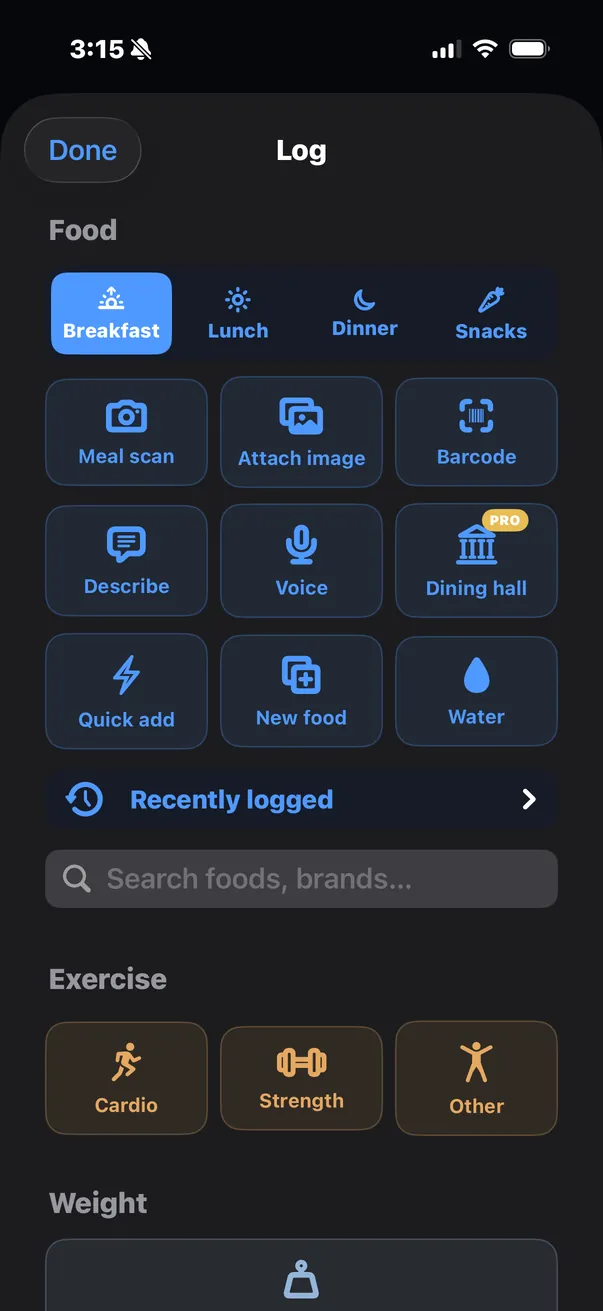
Log a meal in a few seconds
Take a photo, scan a barcode, say it out loud, or type what you ate. Search works without a signal, because 9,047 foods are built into the app. Every meal carries 39 nutrients, not only calories and macros, and is written back to Apple Health.
- 9,047 foods built in and searchable offline, plus branded products by barcode
- 39 nutrients per meal, down to selenium
- Unlimited search, quick add and your own foods. Photo, barcode, voice and typed logging share three free uses a day
A workout log that remembers your numbers
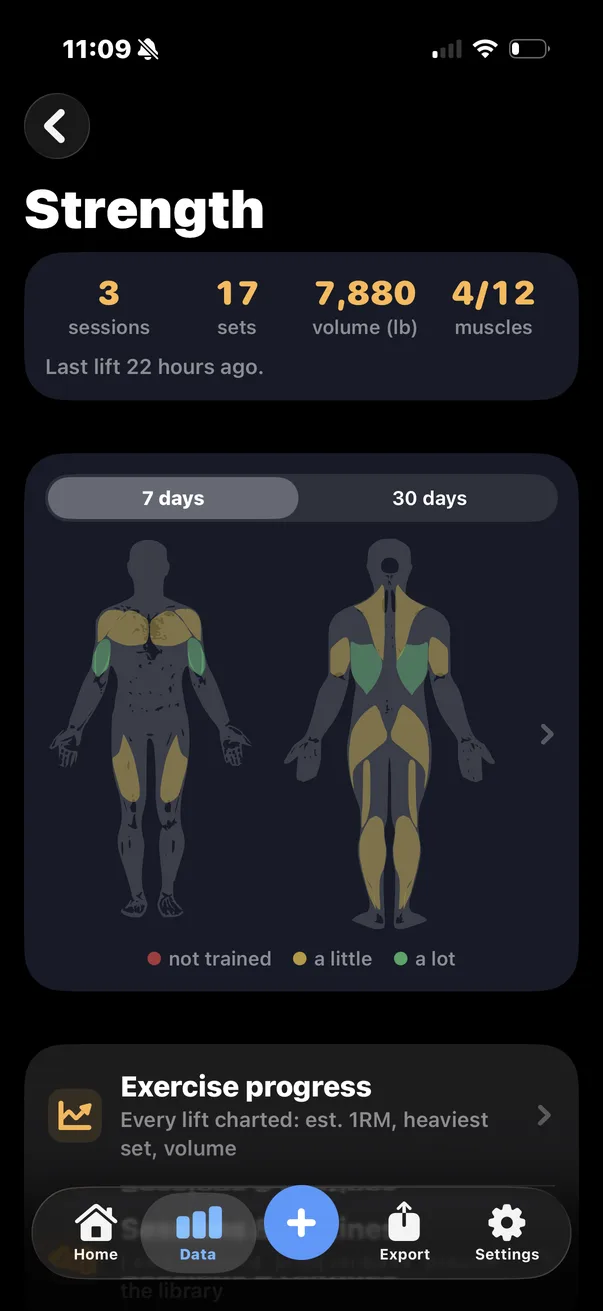
Log each set as reps and weight, with 850 exercises already loaded. Marrow charts your estimated one-rep max, heaviest set and volume for every lift, and keeps your personal bests with their dates.
The body map credits every set to the muscles it trained over the last 7 and 30 days. It is very good at showing what you have quietly been skipping.
- 850 exercises across 13 muscle groups, plus any you add
- Per lift estimated 1RM, heaviest set, session volume, personal bests
- Cardio too runs, rides and anything else, alongside what your watch records
All of Apple Health, in an app you will actually open
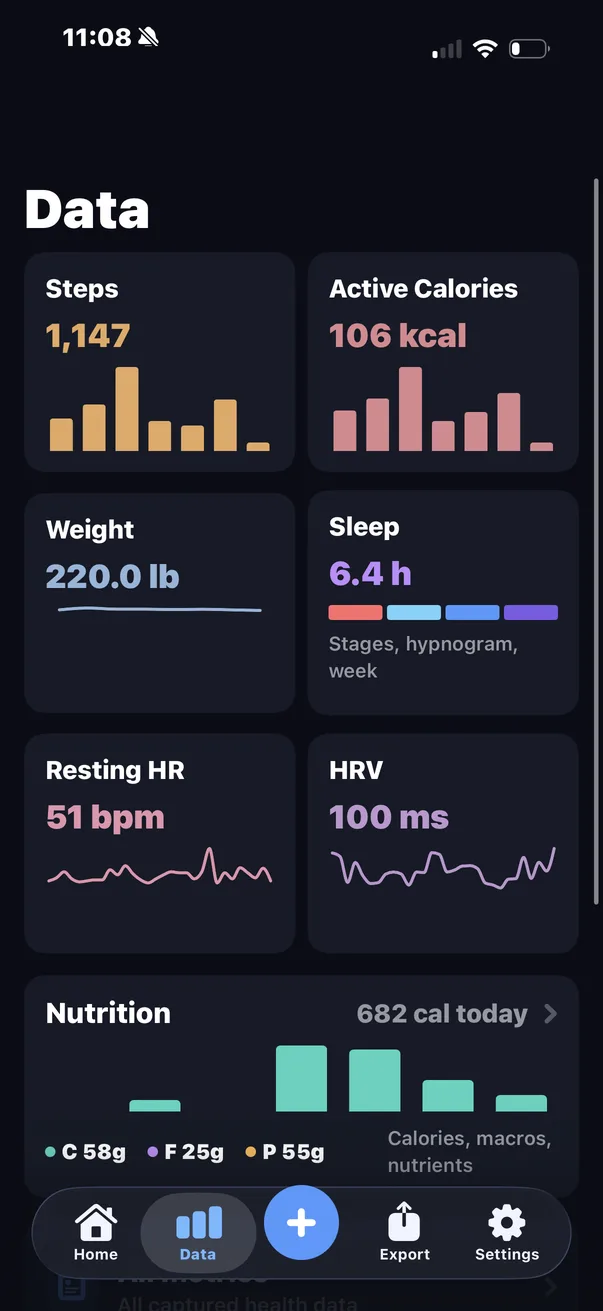
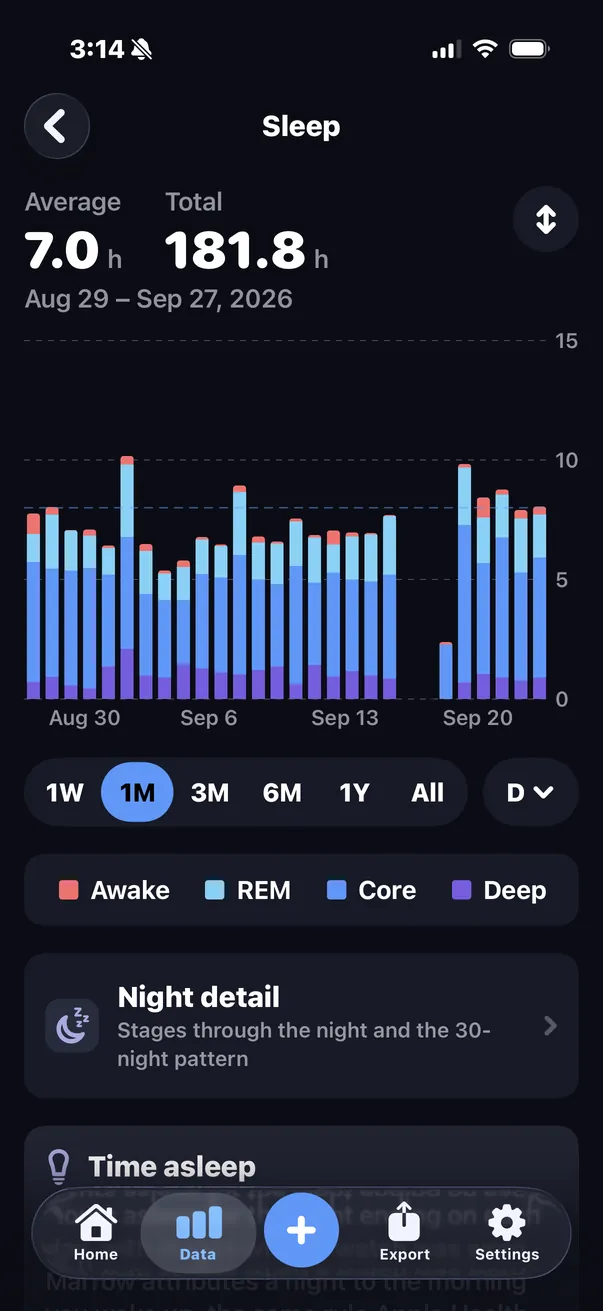
Your watch, ring, scale and phone have been recording for years, and most of it is buried. Marrow reads 172 Apple Health types and gives each one a chart and a history: sleep stages, resting heart rate, HRV, steps, weight, blood oxygen, cycle tracking, symptoms and the rest.
Anything that writes to Apple Health shows up, including Apple Watch, Oura, Whoop, Garmin, Withings, Polar, Dexcom, Eight Sleep, Peloton and Strava. An iPhone on its own is enough to start.
- 178 series 172 from Apple Health, plus the meal diary and five strength series
- On the phone every average, baseline and trend is computed on your iPhone
Ask your AI about your own data
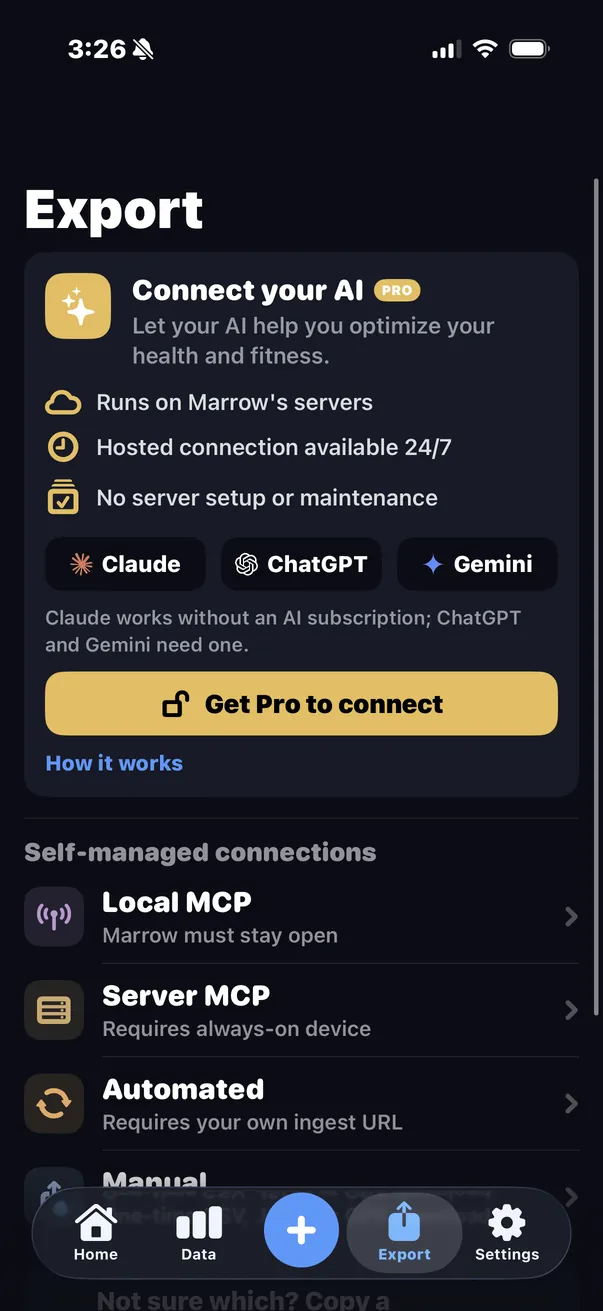
Connect Marrow to ChatGPT, Claude or Gemini and ask real questions: why your sleep got worse, whether you are eating enough protein, what to change in your training. The AI answers from your actual numbers. It can read and never write, and every sign-in has to be approved from your phone.
Connect your AI is part of Marrow Pro. If you would rather run it yourself, four other ways are free: a server on the phone, a mirror on hardware you own, scheduled exports and plain CSV and JSON files.
I know where I want to be with my health but not exactly how to get there. It noticed that when I ate high-protein dinners I often slept poorly, which I had never thought about.
Your data stays on your phone
There is no Marrow account and nothing to sign up for. The database lives on your iPhone. There are no ads, and nothing is sold.
What never leaves
- Everything Marrow reads from Apple Health
- Your food diary, workouts, goals and settings
- Every average, baseline and trend, which are computed on the phone
What leaves, and only when you send it
- A meal photo, typed line or voice clip you log with AI. Photos lose their location and timestamp first, and nothing is kept once the food is identified
- A barcode or search term, sent to Open Food Facts with nothing attached
- The private copy you create by turning on Connect, deleted when you turn it off
- Whatever you export yourself
Read the privacy policy. It is written in plain language.
What other apps charge for
What your own devices record about your body should not rent for a monthly fee. Prices below were checked against each company's own pricing page in August 2026.
| Marrow | MyFitnessPal | Health Auto Export | Apple Health | |
|---|---|---|---|---|
| Price | Free, Pro optional | $19.99 a month or $79.99 a year | $2.99 Basic, $6.99 a year, $24.99 lifetime | Free |
| Food and workout logging | Free, 39 nutrients | Free tier, limited | Not a logging app | Manual entry only |
| Barcode scanning | Free | Premium only | Not a logging app | None |
| Health metrics | 178 | Nutrition and activity only | 150+ | Everything |
| CSV and JSON export | Free | Premium only | Free (manual) | One manual XML dump |
| Automated export | Free | None | Premium only | None |
| AI agent access (MCP) | Free | None | Premium only | None |
| Account required | No | Yes | No | No |
| Ads | None | On the free tier | None | None |
Sources: MyFitnessPal's pricing page and its export documentation; the Health Auto Export App Store listing and its MCP prerequisites. MyFitnessPal free accounts can still request a data download under GDPR and CCPA; the in-app CSV export is the Premium feature. Health Auto Export is a good app and got to MCP before Marrow did. The difference is who has to pay for it.
Free, with an optional Pro plan
Everything that makes Marrow worth installing is free and stays free. Pro pays for the three things that cost money per use or per person.
Marrow
Free
- Food, workout and weight logging
- All 178 health metrics, with charts and history
- Three AI food logs a day
- CSV, JSON and GPX export, and scheduled exports
- AI access you run yourself, on the phone or your own server
No account, no ads, no trial that runs out.
Marrow Pro
$4.99 a month, $34.99 a year, or $59.99 once
- Unlimited AI food logging by photo, barcode, voice and text
- Connect your AI: ChatGPT, Claude or Gemini, with nothing to run
- Campus dining menus at 46 universities
Monthly and yearly start with a 7-day free trial. What Pro includes
Questions
- Is Marrow really free?
- Yes. Logging, every health metric, the charts, the exports and the self-hosted AI connections are free with no time limit. Pro is optional.
- Do I need an Apple Watch?
- No. An iPhone counts steps and distance on its own, and you can log food, workouts and weight by hand. A watch or ring adds sleep, heart rate and HRV.
- Do I need to make an account?
- No. There is no Marrow account. Install it, allow Apple Health access, and it works.
- Which AI assistants can it connect to?
- ChatGPT, Claude and Gemini through Connect your AI. Claude works on its free plan; ChatGPT needs a paid plan and Gemini needs Google AI Pro. Claude Code, Claude Desktop, Cursor and other MCP clients work through the free options.
- Is there an Android version?
- No. Marrow is built on Apple Health and needs an iPhone on iOS 17 or later.
- Something is not working. Who do I ask?
- Marrow is built by one person, and that person answers the support email: support@skeletonarmy.tech. The support page covers the common problems.